03 / IPHONE
iPhone: Purchase, Install, and Open for the First Time
On your iPhone, open the App Store product page linked here. After verifying the three details, check Compatibility and the current price. System requirements are as listed on the App Store page. If your device doesn’t meet the requirements, resolve the compatibility issue first; finding an app with the same name won’t change the requirements for the original app.
For your first purchase, confirm the Apple ID used for Media & Purchases, the amount, and the currency before following the prompts to authenticate. If you’ve purchased the app before, look for it under Purchased in your App Store account. Once the download icon shows progress, wait for installation to finish, then open Shadowrocket from your Home Screen or App Library.
Installing the app doesn’t mean it’s ready to connect
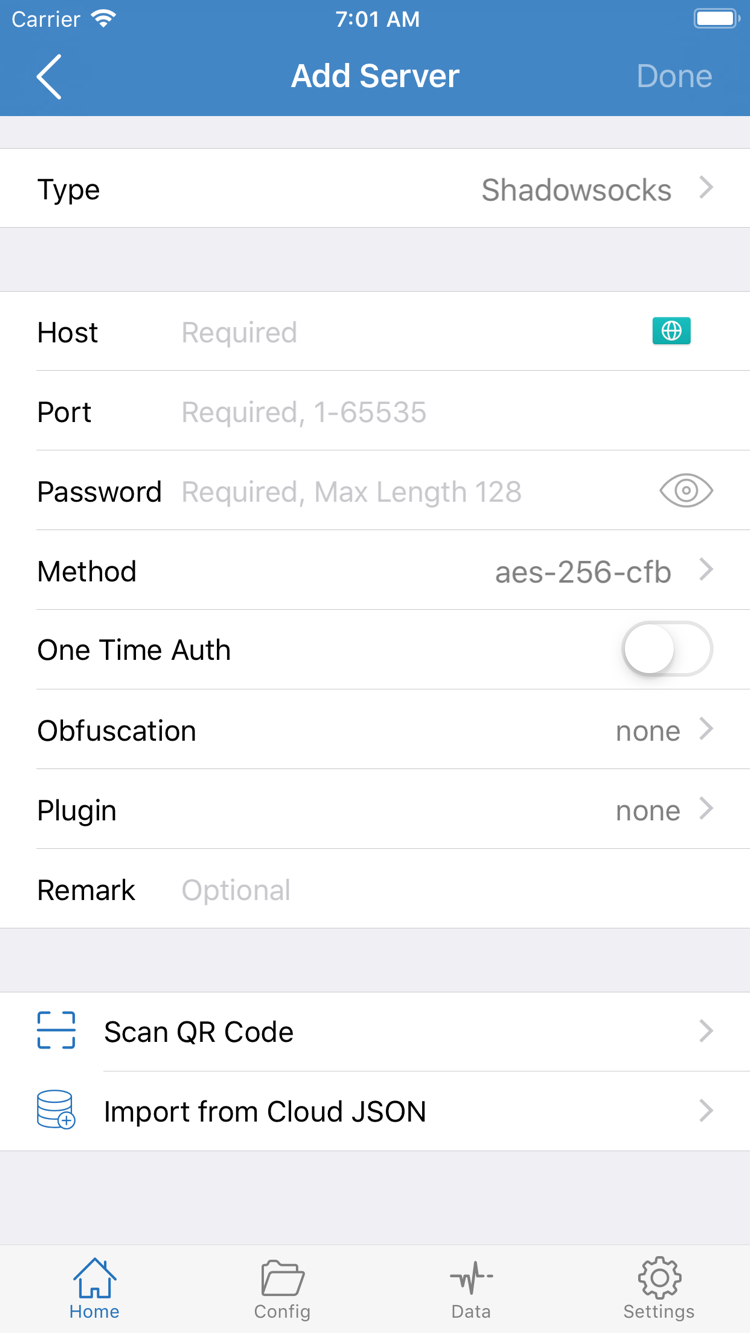
After installing the client, add your own subscription or server details. Use Add Server in Home to add a server. If entering details manually, make sure Type, Host, Port, and the other fields match your existing information. Buying the app doesn’t generate these details, and you can’t replace them with an arbitrary address. Subscription details may include credentials; use them only in apps and on devices you trust.
The first time you enable a connection, iOS may ask to add a VPN configuration. This system permission lets the app create the required network configuration on your iPhone; it isn’t another purchase. Make sure you initiated the action in Shadowrocket, then authenticate as prompted. If you deny permission, the connection may not work. You can return to the app and try again when needed, following any system prompts.
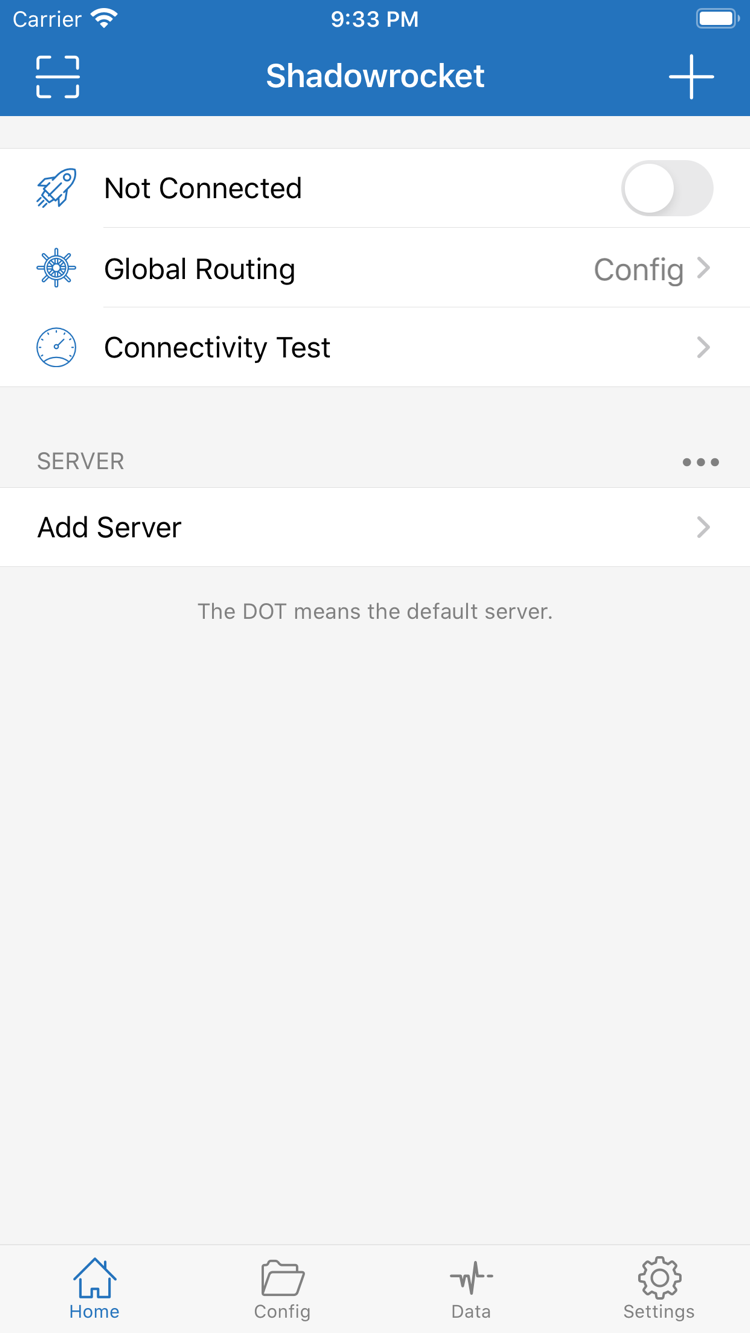
After importing, check the selected server, Global Routing, and connection status in Home. Config refers to configuration mode, Proxy to proxy mode, and Direct to direct mode. Understand these modes in the context of your own configuration; don’t keep switching them just to change the status. For the full import, connection, and verification steps, see the User Guide.
If the purchase succeeds but the download stalls, check the App Store message, available storage, and your current network connection. This is an app download issue, separate from server configuration that hasn’t been imported yet. Finish installing the app before setting it up.